Get standings
Refresh interval: Up to an hour after a match for the associated league and season is finished
Retrieve standings data for a specific league, conference or division.
There are numerous ways on how to fetch the data. You can utilise either abbreviation or leagueName:
| League Name | Abbreviation |
|---|---|
| American League (MLB) | AL |
| National League (MLB) | NL |
| NCAA Division I (CBASE) | NCAA |
Additionally you can specify the year parameter to narrow down the the standings for that season.
There are two other important parameters that are used to navigate through the pagination. The limit parameter defines what the number of returned standings will be. If the number of actual standings is above the limit value you can make subsequent requests by increasing the offset value.
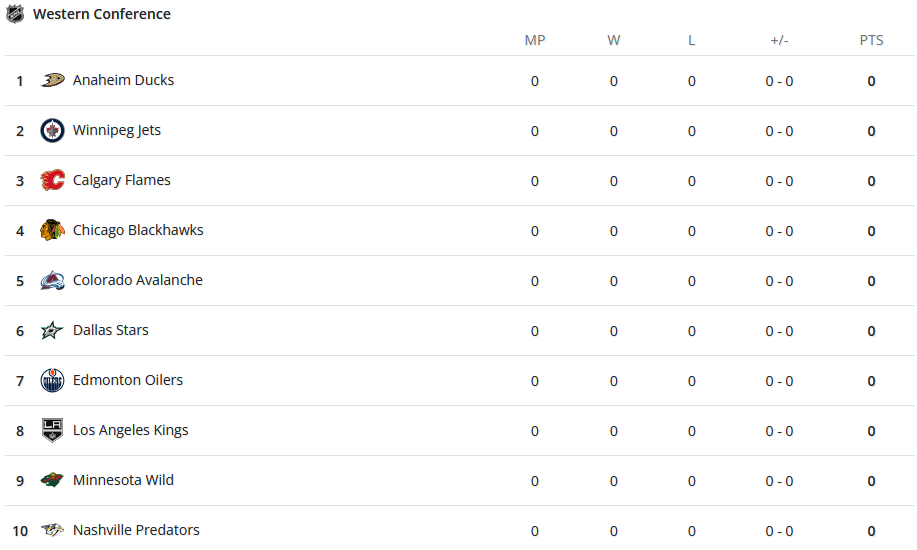
Below is an example on how you could render league associated standings
Request
- Base URLhttps://sports.highlightly.net
- Authnone declared. Required headers: x-rapidapi-host, x-rapidapi-key
- TypeScriptA function with typed inputs. Its response is checked against the schema.
Query parameters
Headers
sport-highlights-api.p.rapidapi.com
Rapid API Token
Response
Example response
{
  "data": [
    {
      "leagueName": "Cactus League (MLB)",
      "abbreviation": "CAC",
      "year": 2024,
      "leagueType": "MLB",
      "seasonType": "Spring Training",
      "startDate": "2024-02-15T08:00:00.000Z",
      "endDate": "2024-03-27T06:59:00.000Z",
      "data": [
        {
          "id": 58,
          "logo": "https://example.com/baseball/images/teams/58.png",
          "name": "Dodgers",
          "stats": [
            {
              "description": "Number of Overtime Losses",
              "abbreviation": "OTL",
              "displayValue": "0"
            }
          ]
        }
      ]
    }
  ],
  "pagination": {
    "totalCount": 490,
    "offset": 20,
    "limit": 100
  },
  "plan": {
    "tier": "BASIC",
    "message": "Some results might be hidden with FREE tier. Check your API coverage for more information: https://rapidapi.com/highlightly-api-highlightly-api-default/api/sport-highlights-api/details"
  }
}
Changes
No recorded changes to this operation across all 1 revision of this API.